We took Orca Forms, sprinkled in all of your feedback to launch QR Code forms 🚀
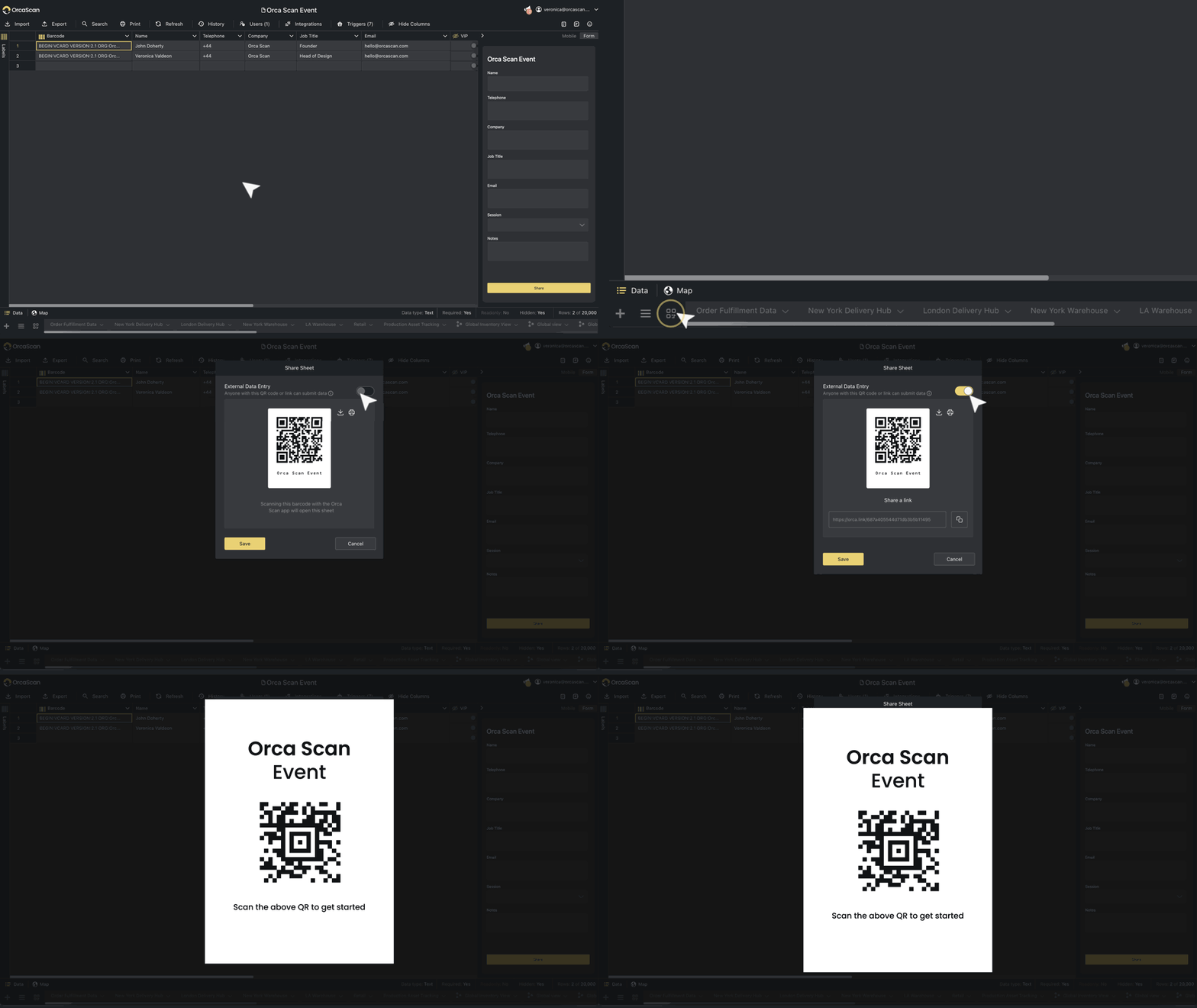
Now anyone can submit data to your sheet using just a smartphone. No app. No login. Just scan the code, fill out the form, and you get the data instantly – all securely stored in the cloud.
Here’s whats new:
- Collect signatures
- Custom brand your forms
- Cleaner, more consistent design
Just create a form, print the QR code, and stick it wherever you need it. Learn more →
Use your custom label design with our Barcode Image API
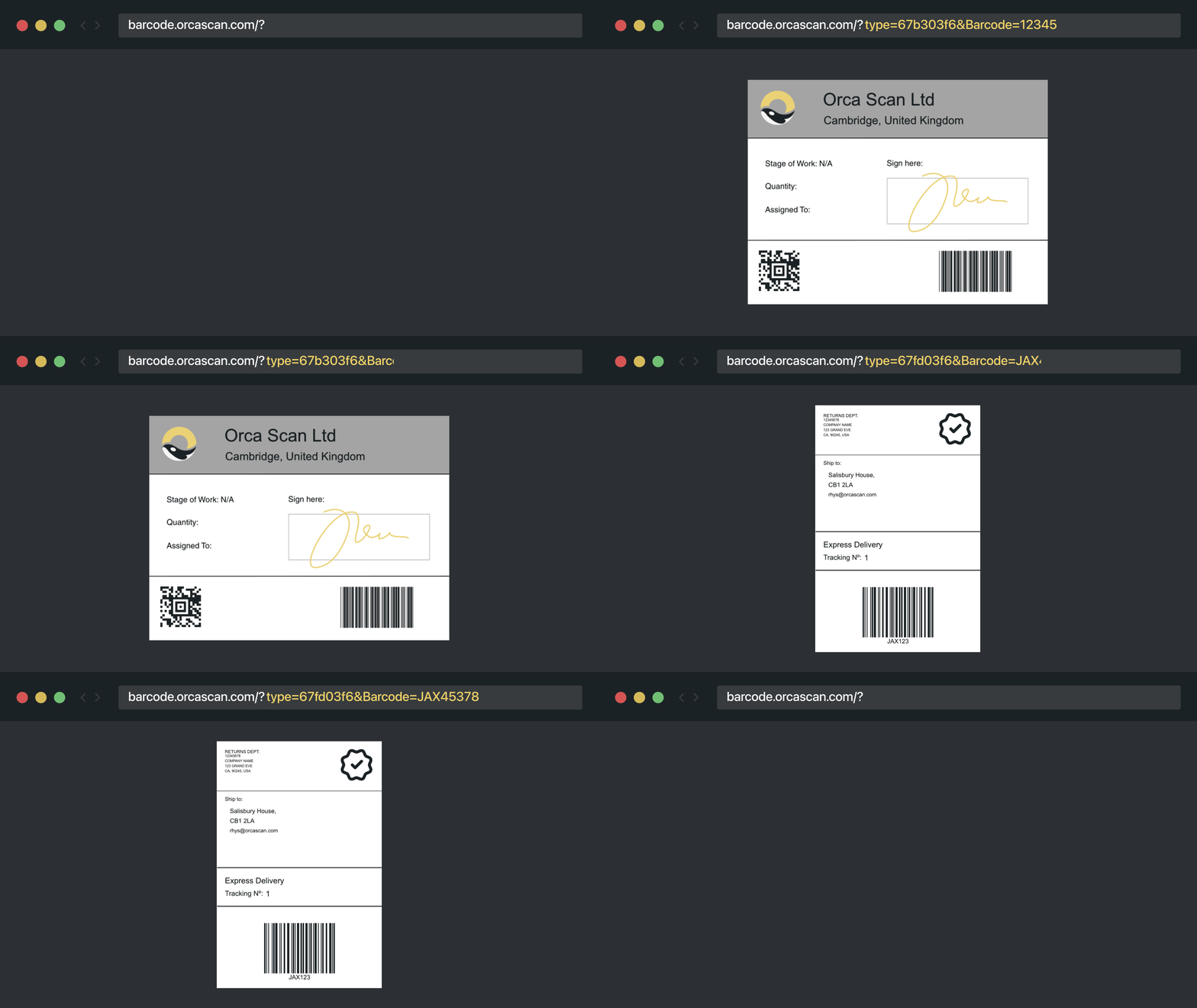
You can now generate barcode images using your custom label design through the Barcode Image API. Just get the Label ID and load it with data from your sheet. Learn how →
More Improvements, Big and Small 👇
- The write a review button in Settings now actually lets you… write a review
- Fixed an issue that prevented the app from updating and working offline
- View on map now opens directly in Maps (as it should)
- Social links now behave and open the right apps
- Google Sheets URLs now open in the Google Sheets app
- Fixed an issue where users couldn’t be removed from the Users dialog
- General UX improvements across the app and the Barcode Label Preview
That’s all for this update, but a special thanks to our customers 💛
Tyler R, Fraser W & Jakub M for helping us make Orca better every day!