You can connect a barcode scanner directly to a PostgreSQL database using the Orca Scan mobile app. On scan, Orca Scan looks up records, populates mapped fields, and can optionally write changes back. PostgreSQL remains the system of record.
How barcode scanning with PostgreSQL works
It helps to understand the difference between scanning and saving a barcode.
On scan
- Orca searches the Postgres column mapped to the Barcode field
- If a match is found, mapped fields are populated on the device
On save
- If enabled, updates to mapped fields are saved to PostgreSQL
- If enabled, new scans create a new row in PostgreSQL
- When write is not enabled, no data is written to PostgreSQL
Records are never deleted from your PostgreSQL database.
Before you start
Before connecting Orca Scan to PostgreSQL, make sure you have:
- An Orca Scan account and a sheet created
- Orca Scan installed on your barcode scanner, phone or tablet
- Your PostgreSQL connection details
- A PostgreSQL table with the required columns
- Database firewall access allowed from
138.68.235.55
Connect your Barcode Scanner to PostgreSQL
- Login to the Orca Scan web app
- Select the sheet you want to connect to PostgreSQL
- Click the Integrations button on the toolbar

- Click the Add to the right of the PostgreSQL add-on
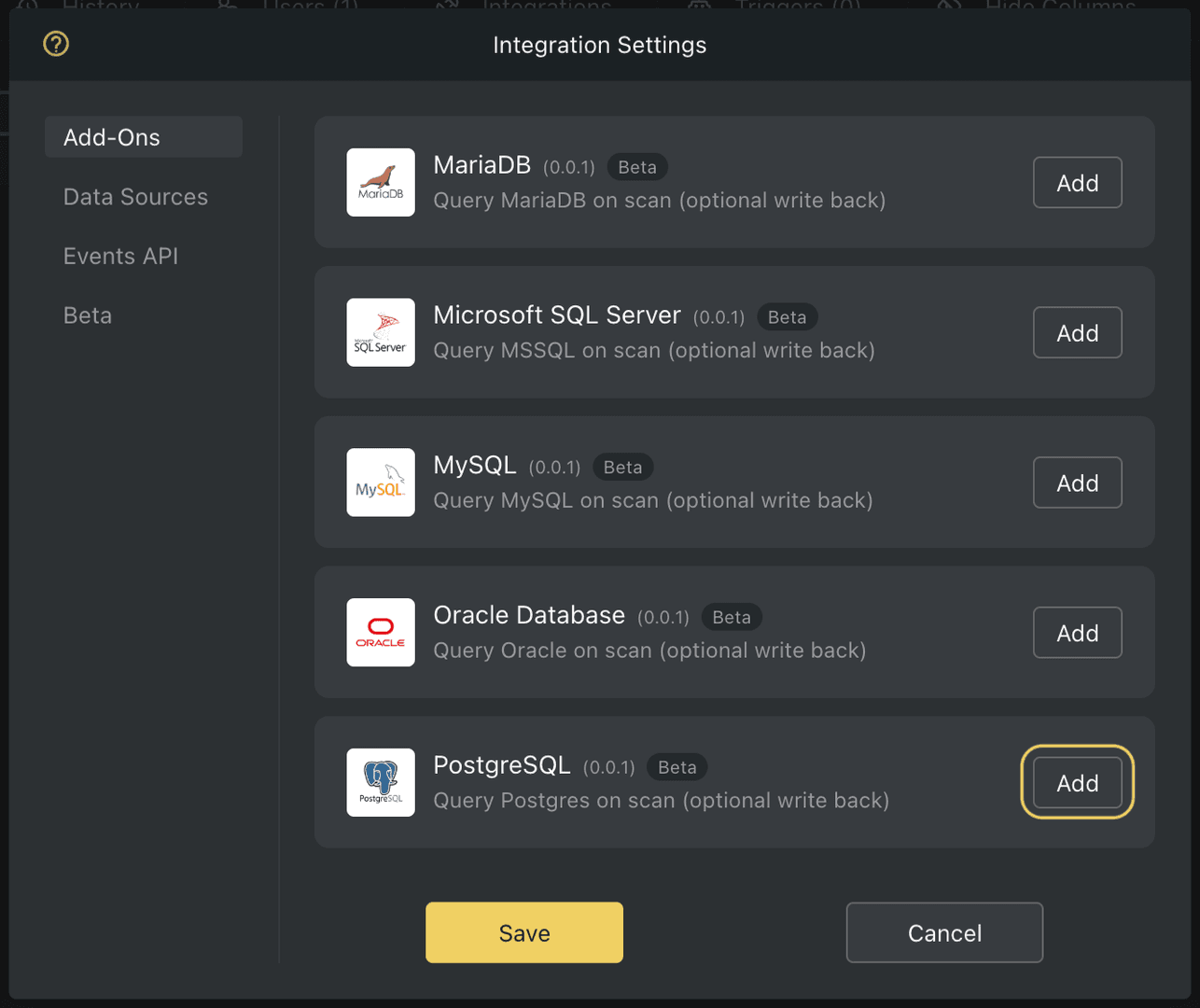
- Grant the PostgreSQL add-on access to your sheet
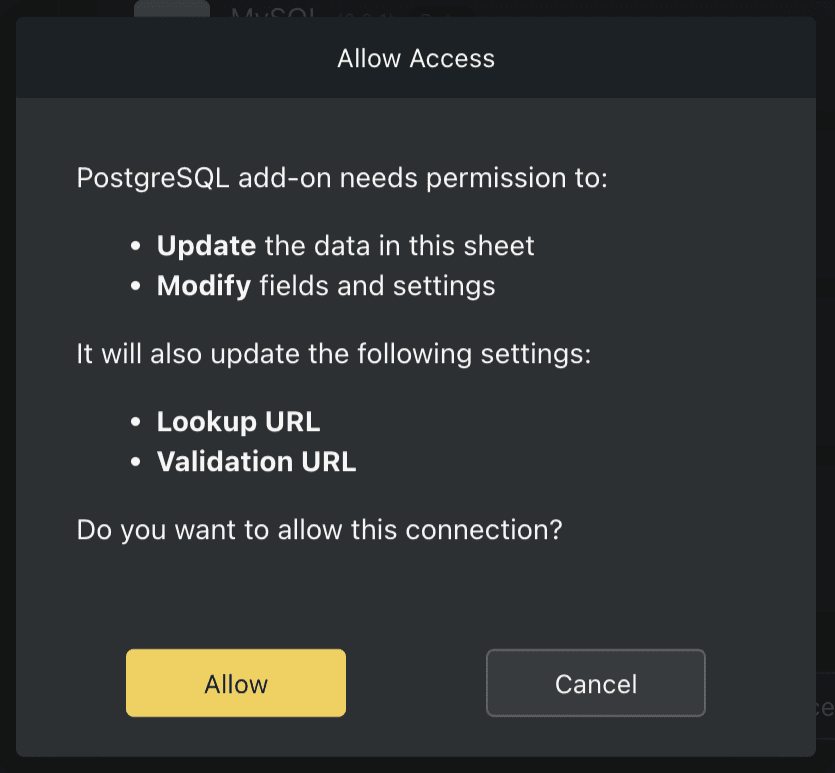
- Enter your PostgreSQL connection details
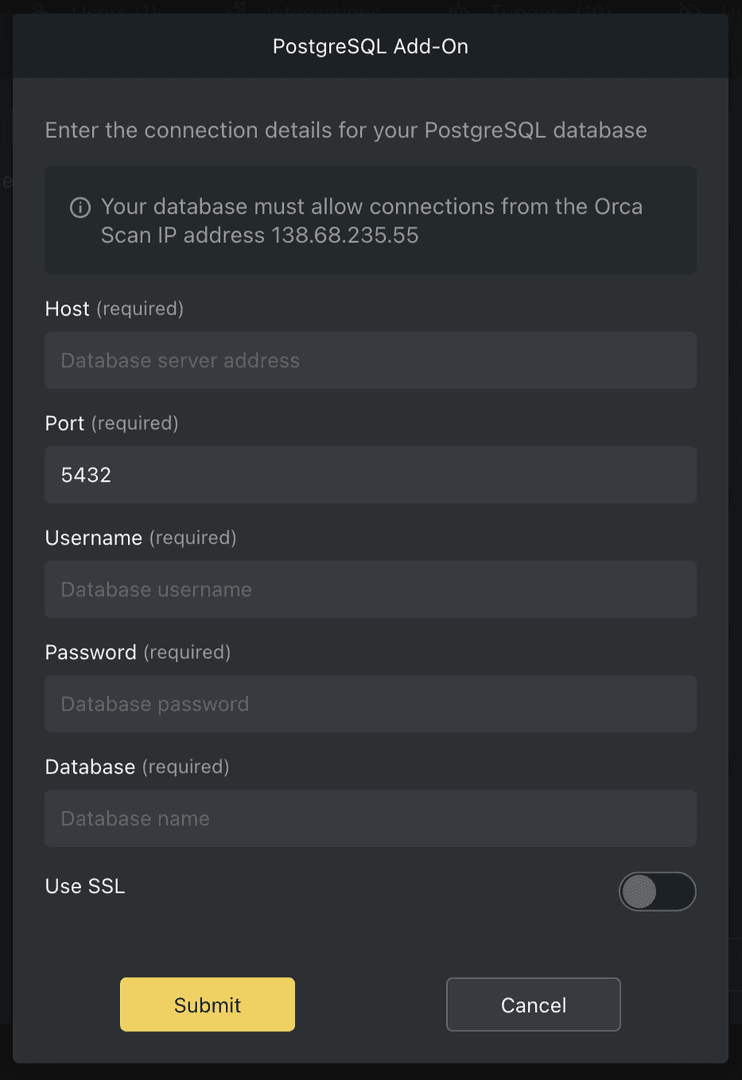
- Select the Postgres table you want to use
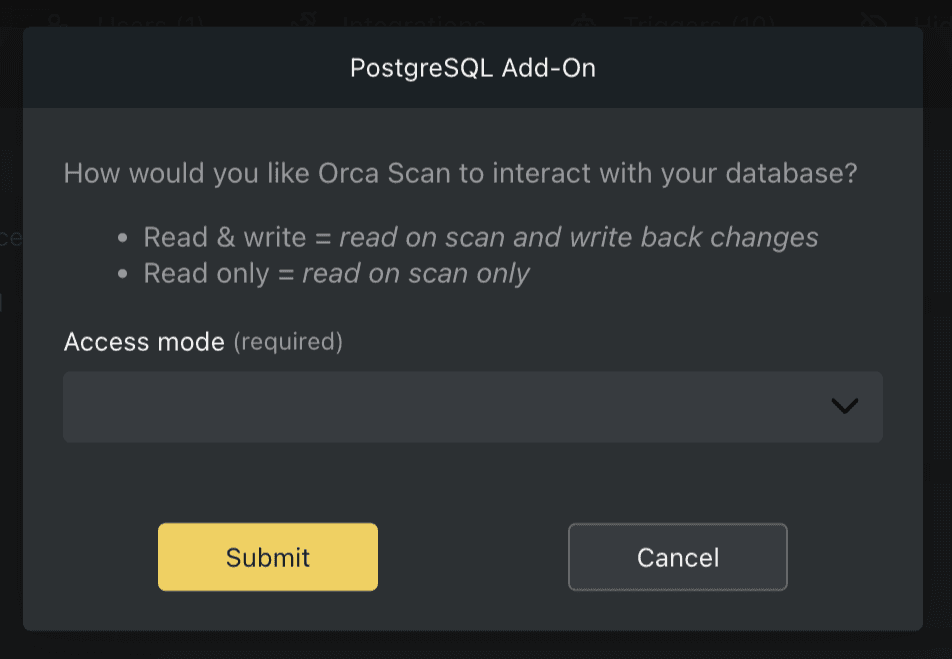
- Choose how Orca Scan should interact with PostgreSQL
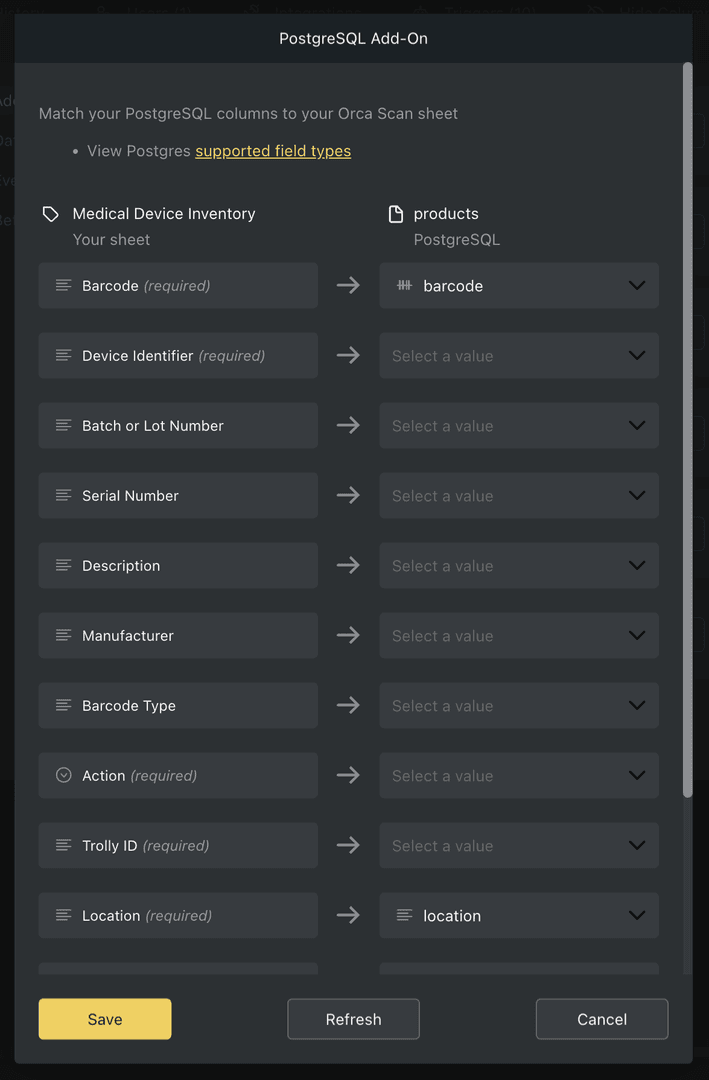
- Map PostgreSQL columns to Orca Scan fields using the field mapper
That’s it. Invite your team by adding users and start scanning into Postgres.
How do Orca Scan fields map to PostgreSQL?
This table shows how Orca Scan field types map to PostgreSQL column types. Only the listed PostgreSQL column types can be mapped.
| Orca Scan Type | Compatible PostgreSQL Type |
|---|---|
| Text | TEXT, VARCHAR |
TEXT, VARCHAR |
|
| URL | TEXT, VARCHAR |
| Drop-down | TEXT, VARCHAR |
| Unique ID | TEXT, VARCHAR |
| GPS Location | TEXT, VARCHAR |
| GPS Location (automatic) | TEXT, VARCHAR |
| Time | TIME, TEXT, VARCHAR |
| Number | SMALLINT,INTEGER, BIGINT, DOUBLE PERCISION DECIMAL, NUMERIC, REAL, SERIAL, BIG SERIAL |
| Number (auto-inc) | SMALLINT,INTEGER, BIGINT, DOUBLE PERCISION DECIMAL, NUMERIC, REAL, SERIAL, BIG SERIAL |
| Number (auto-dec) | SMALLINT,INTEGER, BIGINT, DOUBLE PERCISION DECIMAL, NUMERIC, REAL, SERIAL, BIG SERIAL |
| True/False | BOOLEAN |
| Date | DATE |
| Date (auto) | DATE |
| DateTime | TIMESTAMP |
| DateTime (auto) | TIMESTAMP |
| Multi-select | TEXT, VARCHAR |
| Currency | DECIMAL, NUMERIC, MONEY |
| - not supported - | |
| - not supported - | |
| - not supported - | |
| Formula | TEXT, VARCHAR |
| Created by | TEXT, VARCHAR |
| Created Date | TIMESTAMP |
| Last Modified by | TEXT, VARCHAR |
| Last Modified Date | TIMESTAMP |
PostgreSQL Add-On FAQs
Does Orca Scan modify my PostgreSQL schema?
No. Orca Scan only reads from and writes to existing tables. It never creates, alters, or drops tables or columns.
Does Orca Scan delete records from PostgreSQL?
No. Records are never deleted from your database. If this would be useful to you, please raise a feature request.
What SQL operations are performed?
On scan, Orca Scan performs a SELECT using the column mapped to the Barcode field.
On save, Orca Scan performs an UPDATE on the matched row, or an INSERT if no match exists and write access is enabled.
Which column is used for barcode lookups?
The PostgreSQL column mapped to the Orca Scan Barcode field.
What permissions does the PostgreSQL user need?
SELECT is required for read access. INSERT and UPDATE are required if write access is enabled.
Does Orca Scan create triggers, jobs, or background processes?
No. All database access is request-based and occurs only during scans and saves.
What happens if the scanner is offline?
The device must be online for PostgreSQL lookups and writes to occur.
How secure are my database credentials?
Credentials are encrypted, never logged, and never accessible to the Orca Scan team. For best practice, restrict access to 138.68.235.55 and your trusted systems.
What if my database config changes, how do I resolve issues?
If there is an issue with your Postgres connection:
- Go to Integrations > Add-Ons
- The add-on will show a red warning, click Resolve
- Follow the prompts to fix the issues
How do I update my Postgres connection details?
If your database connection details change, disconnect the add-on and reconnect.
How do I change my field mappings after setup?
To change your field mappings:
- Go to Integrations > Add-Ons > … > Configure
- Change your field mappings and save
How do I update existing rows after changing field mappings?
After changing field mappings, existing rows do not update automatically:
- In the web app, right click a row to Update from Lookup URL
- On mobile, data is refreshed on the next scan
Are there any field mapping limitations?
Yes, a couple:
- Dropdown fields only accept values that exist in your sheet
- The following Orca Scan field types cannot be mapped:
- Signature
- Photo
- Attachment
Can I extract data from barcodes before saving to PostgreSQL?
Yes. You can use Orca Variables to extract data from barcodes such as GS1 before they are saved to your Postgres database.
Related barcode scanner to database guides
- Scan barcodes into Oracle DB
- Scan barcodes into MySQL
- Scan barcodes into MariaDB
- Scan barcodes into SQL Server
Need help scanning barcodes into Postgres?
We’re happy to help, chat with us live or book a free implementation call.
Request an integration
Need help getting Orca Scan working with your software? Request a Software Integration