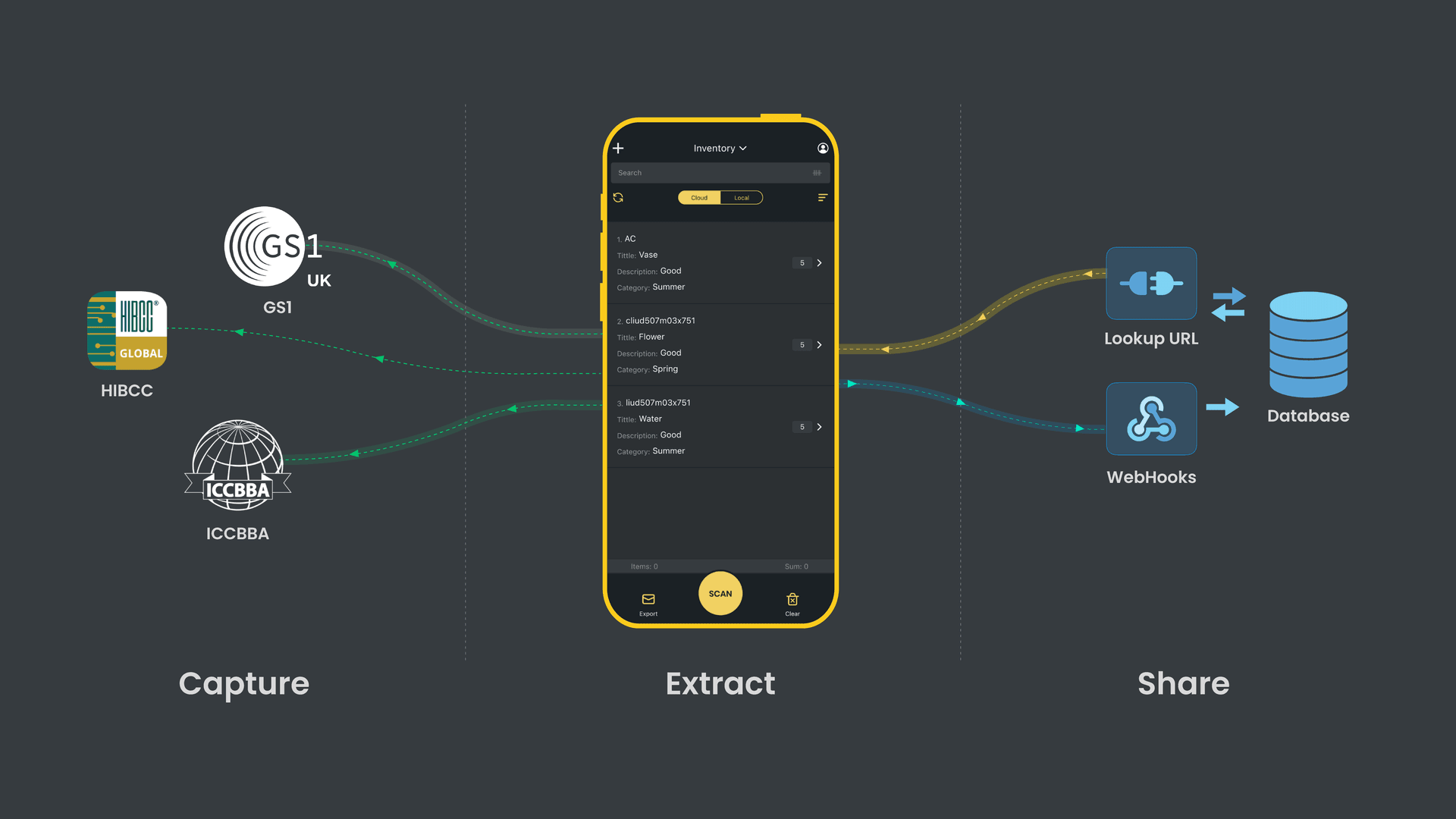
Orca Scan Variables make it easy to extract data from a barcode value and move it to another field. Simply add a variable as a default value to one of your fields and scan a barcode. To get started:
- Download the Orca Scan barcode app
- Create a new sheet
- Add columns/fields for each value you want to extract
- Enter an Orca Variable as the default value for each field
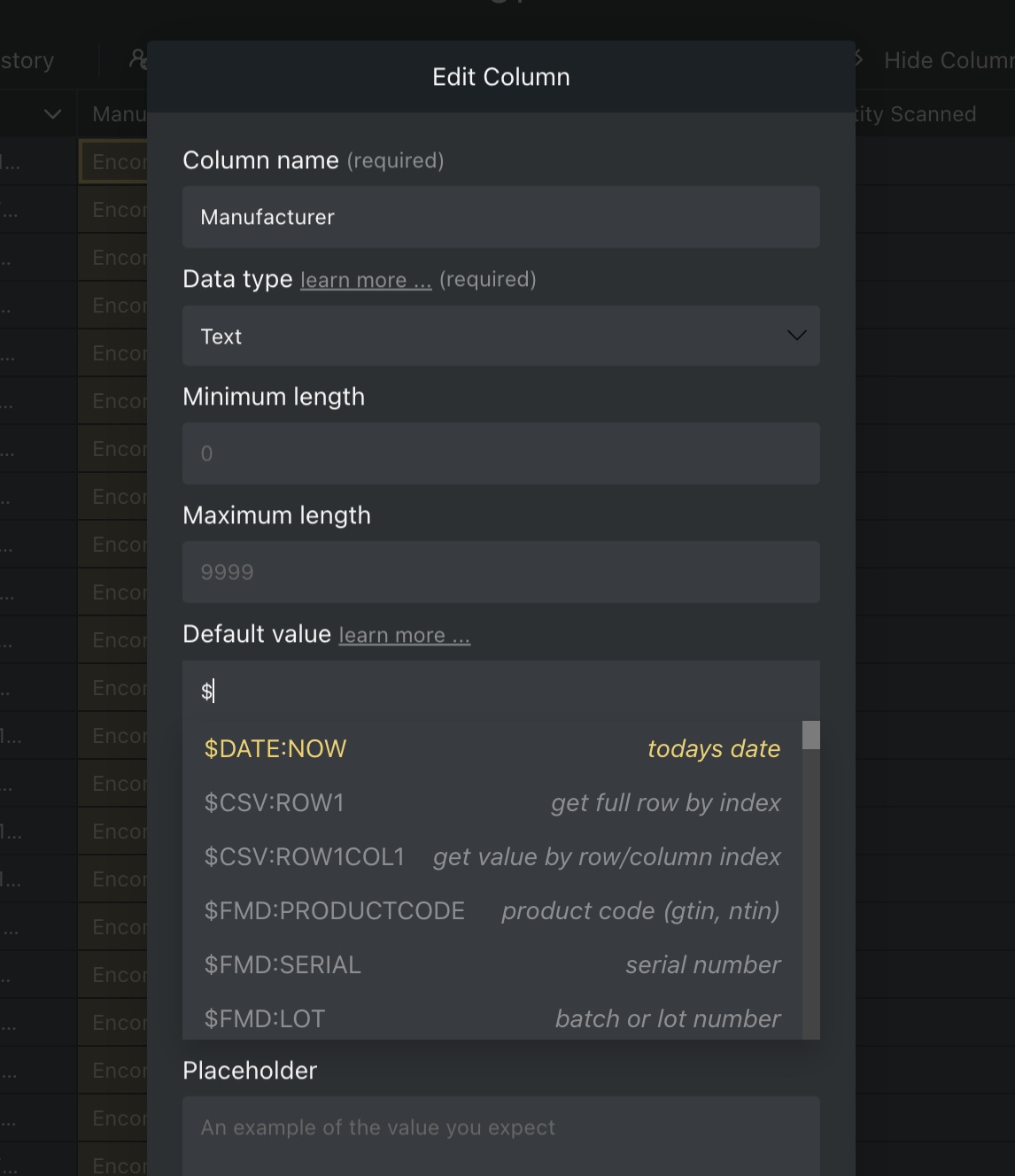
- Save the changes
- Scan the relevant barcode to see the data extracted
How do Orca Variables work?
Orca Variables have the following structure $TYPE:PROPERTY:FORMAT
TYPE= type of data$GS1,$HIBC,$ISBT,$JSON,$CSV,$PSVPROPERTY= property/reference of the item to extractFORMAT= (optional) output format
There are times when you may need to extract data from an unstructured barcode; that is barcodes that contain data that does not follow a specific standard. In such cases, you would use the $RAW variable listed below.
Orca Scan supports the following:
Barcode Standards
- GS1
- HIBC
- ISBT
- UDI
- FMD
Data Formats
- JSON
- URL
- CSV
- PSV
- TSV
- RAW
Barcode Standards
GS1
Get data from a GS1 barcode using the following variables:
Use our free GS1 Barcode Decoder to copy the variables easily
| Variable | GS1 AI | Description |
|---|---|---|
$GS1:SSCC |
00 |
SSCC (Serial Shipping Container Code) |
$GS1:GTIN |
01 |
8, 12, 13 or 14 Digit GTIN (Global Trade Item Number) |
$GS1:CONTENT |
02 |
GTIN of contained trade items |
$GS1:LOT |
10 |
Batch or lot number |
$GS1:MANUFACTUREDATE |
11 |
Production date |
$GS1:DUEDATE |
12 |
Due date |
$GS1:PACKINGDATE |
13 |
Packaging date |
$GS1:BESTBEFOREDATE |
15 |
Best before date |
$GS1:SELLBYDATE |
16 |
Sell by date |
$GS1:EXPIRYDATE |
17 |
Expiration date |
$GS1:SERIAL |
21 |
Serial number |
$GS1:CPV |
22 |
Consumer product variant |
$GS1:GDTI |
253 |
Global Document Type Identifier |
$GS1:GCN |
255 |
Global Coupon Number |
$GS1:GINC |
401 |
Global Identification Number for Consignment |
$GS1:GSIN |
402 |
Global Shipment Identification Number |
$GS1:GLN |
414 |
GLN (Global location number) |
$GS1:GRAI |
8003 |
Global Returnable Asset Identifier |
$GS1:GIAI |
8004 |
Global Individual Asset Identifier |
$GS1:CPID |
8010 |
Component Part Identifier |
$GS1:GMN |
8013 |
Global Model Number |
$GS1:GSRN |
8018 |
Global Service Relation Number |
$GS1:3340 |
3340 |
Area in square metres |
$GS1:GTIN8 |
n/a | 8 Digit GTIN (Global Trade Item Number) |
$GS1:GTIN12 |
n/a | 12 Digit GTIN (Global Trade Item Number) |
$GS1:GTIN13 |
n/a | 13 Digit GTIN (Global Trade Item Number) |
$GS1:GTIN14 |
01 |
14 Digit GTIN (Global Trade Item Number) |
$GS1:AI |
n/a | Replace AI with GS1 Application Identifier num |
$GS1:ISVALID |
n/a | True if valid GS1 |
Note: If the barcode scanned is not a valid GS1 barcode, no data is returned.
HIBC
Extract data from a Health Industry Bar Code (HIBC) using the following variables:
Use our free HIBC Barcode Decoder to copy the variables easily
| Variable | Description |
|---|---|
$HIBC:BARCODE |
Correctly formatted HIBC barcode |
$HIBC:TYPE |
Concatenated, Line1 or Line2 |
$HIBC:LIC |
Labeler Identification Code |
$HIBC:UOM |
Unit Of Measure |
$HIBC:PCN |
Product or Catalog Number |
$HIBC:EXPIRYDATE |
Expiry Date |
$HIBC:LOT |
Lot number |
$HIBC:QUANTITY |
Quantity |
$HIBC:CHECK |
Check character |
$HIBC:ISCONCATENATED |
True if concatenated HIBC |
$HIBC:ISPRIMARY |
True if primary HIBC |
$HIBC:ISSECONDARY |
True if secondary HIBC |
$HIBC:ISVALID |
True if valid HIBC |
Note: If the barcode scanned is not a valid HIBC barcode, no data is returned.
ISBT
Get data from an ISBT barcode using the following variables:
| Variable | Description |
|---|---|
$ISBT:DI |
Device Identifier for Blood Container |
$ISBT:SERIAL |
Serial Number |
$ISBT:DIN |
Donation Identification Number |
$ISBT:EXPIRYDATE |
Expiration Date |
$ISBT:MANUFACTUREDATE |
Manufacturing Date |
$ISBT:LOT |
Lot Number |
$ISBT:ISVALID |
True if valid ISBT |
Note: If the barcode scanned is not a valid ISBT barcode, no data is returned.
UDI
UDI barcodes can be encoded using the GS1, HIBC or ISBT barcode standard. Using the $UDI variable allows you to extract the correct data, regardless of the standard used. To get data from a UDI barcode, use the following variables:
Use our free UDI Barcode Decoder to copy the variables easily
| Variable | Description |
|---|---|
$UDI:DI |
Device Identifier (GTIN, PCN) |
$UDI:LOT |
Lot Number |
$UDI:EXPIRYDATE |
Expiration Date |
$UDI:SERIAL |
Serial Number |
$UDI:PRODDATE |
Production/Manufacture Date |
$UDI:TYPE |
Data structure GS1, HIBC or ISBT |
$UDI:ISVALID |
True if valid UDI |
Note: If the barcode scanned is not a valid UDI barcode, no data is returned.
FMD
Get data from an FMD barcode using the following variables:
Use our free FMD Barcode Decoder to copy the variables easily
| Variable | Description |
|---|---|
$FMD:PRODUCTCODE |
Product Code |
$FMD:SERIAL |
Serial Number |
$FMD:LOT |
Lot or Batch Number |
$FMD:EXPIRYDATE |
Expiration Date |
$FMD:NHRN |
National Healthcare Reimbursement Number |
$FMD:ISVALID |
True if valid FMD |
Note: If the barcode scanned is not a valid FMD barcode, no data is returned.
Data Formats
JSON
Get values from a barcode containing JSON data:
| Variable | Description |
|---|---|
$JSON:KEY |
Replace KEY with property name |
$JSON:ISVALID |
True if valid JSON |
Note: If the barcode scanned does not contain valid JSON, no data is returned.
URL
Get data from a URL barcode using the following variables:
| Variable | Description |
|---|---|
$URL:RAW |
The full URL |
$URL:PROTOCOL |
The URL protocol http or https |
$URL:HOST |
Host and port number if present example.com:8080 |
$URL:HOSTNAME |
Just the host name example.com |
$URL:PORT |
Port number 8080 or empty string if not specified |
$URL:PATHNAME |
Path portion of the URL /directory/file.html |
$URL:SEARCH |
URL search/query params |
$URL:HASH |
Hash from the URL if present |
$URL:USERNAME |
Username from the URL if present |
$URL:PASSWORD |
Password from the URL if present |
$URL:BASE |
Base portion of the URL https://example.com |
$URL:ISVALID |
True if valid URL |
Note: If the barcode scanned is not a valid URL, no data is returned.
CSV
Get values from a barcode that contains CSV data:
| Variable | Description |
|---|---|
$CSV:ROW1 |
Replace 1 with row number to get full row |
$CSV:ROW1COL1 |
Replace 1 with row and column number to get cell value |
Using the following as input:
Col1,Col2,Col3,Col4
A1,B1,C1,D1
A2,B2,C2,D2
A3,B3,C3,D3
- Return First Row
- Variable:
$CSV:ROW1 - Example: Output:
Col1,Col2,Col3,Col4
- Variable:
- Return Second Row
- Variable:
$CSV:ROW2 - Example: Output:
A1,B1,C1,D1
- Variable:
- Return Third Row, Third Column
- Variable:
$CSV:ROW3COL3 - Example: Output:
C2
- Variable:
PSV
Get values from a barcode that contains Pipe Separated data:
| Variable | Description |
|---|---|
$PSV:ROW1 |
Replace 1 with row number to get full row |
$PSV:ROW1COL1 |
Replace 1 with row and column number to get cell value |
Using the following as input:
Col1|Col2|Col3|Col4
A1|B1|C1|D1
A2|B2|C2|D2
A3|B3|C3|D3
- Return First Row
- Variable:
$PSV:ROW1 - Example: Output:
Col1|Col2|Col3|Col4
- Variable:
- Return Second Row
- Variable:
$PSV:ROW2 - Example: Output:
A1|B1|C1|D1
- Variable:
- Return Third Row, Third Column
- Variable:
$PSV:ROW3COL3 - Example: Output:
C2
- Variable:
TSV
Get values from a barcode that contains Tab Separated data:
| Variable | Description |
|---|---|
$TSV:ROW1 |
Replace 1 with row number to get full row |
$TSV:ROW1COL1 |
Replace 1 with row and column number to get cell value |
Using the following as input:
Col1	Col2	Col3	Col4
A1	B1	C1	D1
A2	B2	C2	D2
A3	B3	C3	D3
- Return First Row
- Variable:
$TSV:ROW1 - Example: Output:
Col1 Col2 Col3 Col4
- Variable:
- Return Second Row
- Variable:
$TSV:ROW2 - Example: Output:
A1 B1 C1 D1
- Variable:
- Return Third Row, Third Column
- Variable:
$TSV:ROW3COL3 - Example: Output:
C2
- Variable:
RAW
Get data from a barcode value regardless of the format used:
| Variable | Description |
|---|---|
$RAW:GET |
Get full value |
$RAW:GET:FIRST3 |
Get first 3 characters |
$RAW:GET:LAST3 |
Get last 3 characters |
$RAW:GET:EX3 |
Get all but first 3 characters |
$RAW:GET:EX-3 |
Get all but last 3 characters |
Using the following as input:
Hello World
- Return First 3 Characters
- Variable:
$RAW:GET:FIRST3 - Example: Output:
Hel
- Variable:
- Return Last 3 Characters
- Variable:
$RAW:GET:LAST3 - Example: Output:
rld
- Variable:
- Exclude Last 3 Characters
- Variable:
$RAW:GET:EX-3 - Example: Output:
Hello Wo
- Variable:
Formatting
The third segment of an Orca Variable $TYPE:PROPERTY:FORMAT is used to format the result. By default, all values from known barcode standards are returned in the correct format (dates, weights, etc). You can use the FORMAT segment to modify the output to suit your needs:
1. True/False
You can convert the value into a boolean (true or false) using the following token:
| Token | Description |
|---|---|
EXISTS |
Returns true if the value is not empty, otherwise false |
BOOL |
Returns true if the value true or 1 otherwise false |
2. Dates
You can convert a date into another format using a combination of the following tokens:
| Token | Description | Example output |
|---|---|---|
DDDD |
Full day name | Saturday |
DDD |
3 character day name | Sat |
DD |
Day in double-digit format | 02 |
D |
Day in single-digit format | 2 |
MMMM |
Full name of month | January |
MMM |
Month in 3 character format | Jan |
MM |
Month in double-digit format | 03 |
M |
Month in single-digit format | 3 |
YYYY |
4 digit year | 2019 |
YYY |
3 digit year | 019 |
YY |
2 digit year | 19 |
CC |
2 digit century | 20 |
HH |
2 digit hour | 03 |
H |
1 digit hour | 3 |
mm |
2 digit minute | 02 |
m |
1 digit minute | 3 |
Using the following GS1 barcode value as an example:
01050601301313832152888501717543172303311000327C
$GS1:EXPIRYDATE:DDMMYYYYreturns31032023$GS1:EXPIRYDATE:DDMMYYreturns310323$GS1:EXPIRYDATE:DDDDreturnsFriday
3. Characters
You can extract only a specific number or type of characters using the token below, followed by the number of characters:
| Token | Description |
|---|---|
N |
Numeric digit |
A |
Alpha character |
X |
Alphanumeric character |
FIRST |
First n characters from the left |
LAST |
Last n characters from the right |
EX |
All but n number of characters |
You must follow each token with a number of characters, for example:
| Example | Description |
|---|---|
N3 |
3 numeric digits |
A3 |
3 alpha characters |
X3 |
3 alphanumeric characters |
N..3 |
0 to 3 numeric digits |
A..3 |
0 to 3 alpha characters |
X..3 |
0 to 3 alphanumeric characters |
FIRST3 |
Take the FIRST 3 characters |
LAST3 |
Take the LAST 3 characters |
EX3 |
Excludes all but FIRST 3 characters |
EX-3 |
Excludes all but LAST 3 characters |
Using the following barcode value as an example:
Orca Scan
- First 6 Alphanumeric Characters
- Variable:
$RAW:GET:X6 - Example: Output:
Orca S - Description: Extracts the first 6 alphanumeric characters
- Variable:
- Exclude Last 3 Characters
- Variable:
$RAW:GET:EX-3 - Example: Output:
Orca S - Description: Removes the last 3 characters
- Variable:
System Variables
The following variables provide access to User and Date information:
| Variable | Description |
|---|---|
$USER:EMAIL |
Get email address of the user |
$DATE:NOW |
Get the current date and time |
Using Variables With Triggers
Variables can be used within triggers to set conditions and specify actions.
Examples
- Expired Product Removal:
- Variable:
$DATE:NOW - Condition: Is Less Than
- Action: Notify the team the item scanned has expired
- Variable:
- Capture User once status equals Delivered:
- Variable:
$USER:EMAIL - Condition: Status equals Delivered
- Action: Set the deliverer’s email in the Delivery By field
- Variable:
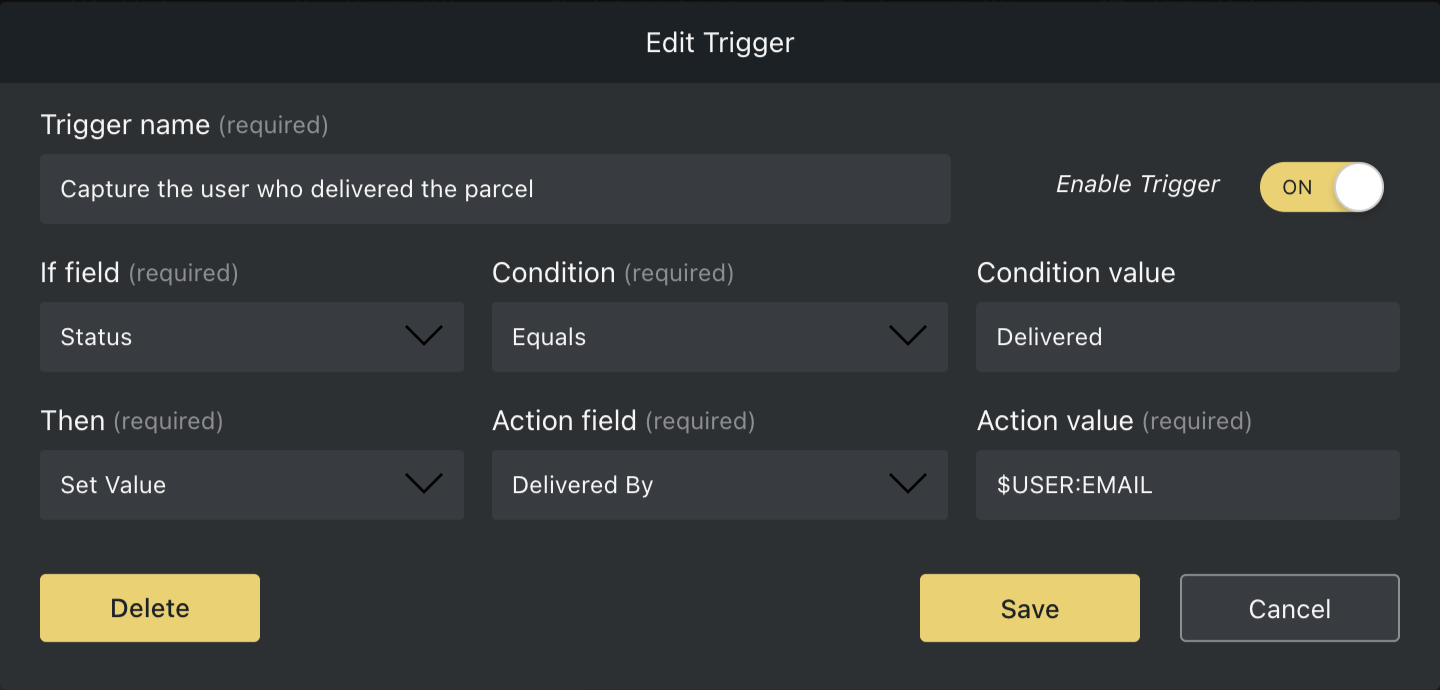
For detailed instructions on creating triggers, check out our triggers guide.
Need help using Orca Variables?
chat with us live or email us at hello@orcascan.com.