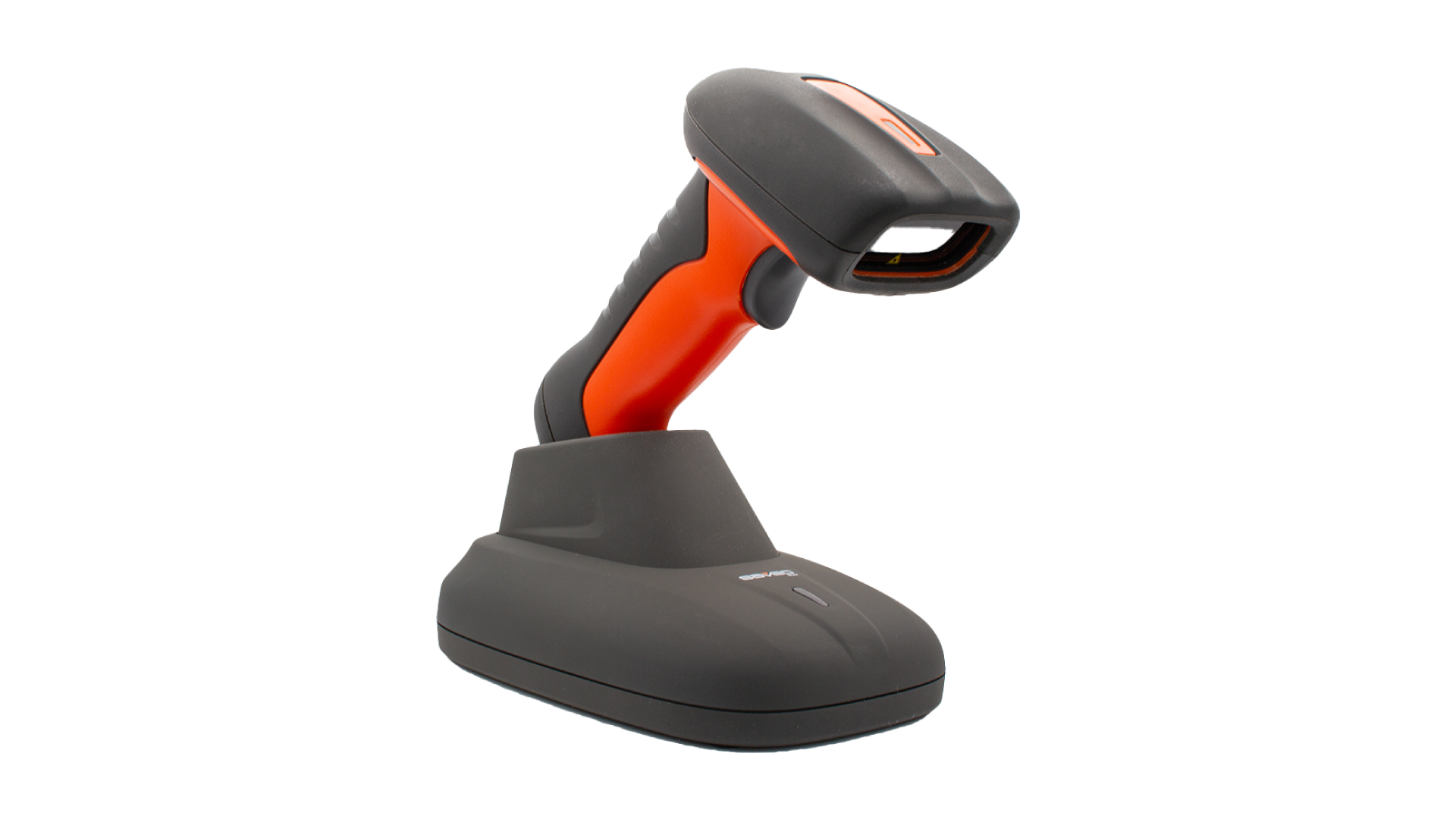
The Saveo H2D (model RGDPTL-H2D-BT) is a versatile scanning device suitable for industrial and commercial use. It supports 1D and 2D barcode scanning, offers Bluetooth connectivity, and is built to withstand tough conditions with its IP67-rated durability.
Saveo H2D Specs
- Built-in 1D/2D barcode scanner
- Compatible with Android and iOS devices
- Bluetooth wireless connectivity
- Up to 30 m (100 ft) wireless range
- Long-lasting battery with up to 12 hours of continuous operation
- IP67-rated water and dust resistance
- Shockproof design for durability in tough environments
- Customisable power-saving options for enhanced energy efficiency
Saveo H2D Setup Guide
Connecting the Saveo H2D to an iOS device
- On your iOS device, open Settings > Bluetooth and ensure Bluetooth is enabled
- Press the scanner’s scan button to power it on (blue light will flash)
- Scan the Wireless Bluetooth Pairing barcode shown below or hold the scan button for 10 seconds to enter pairing mode
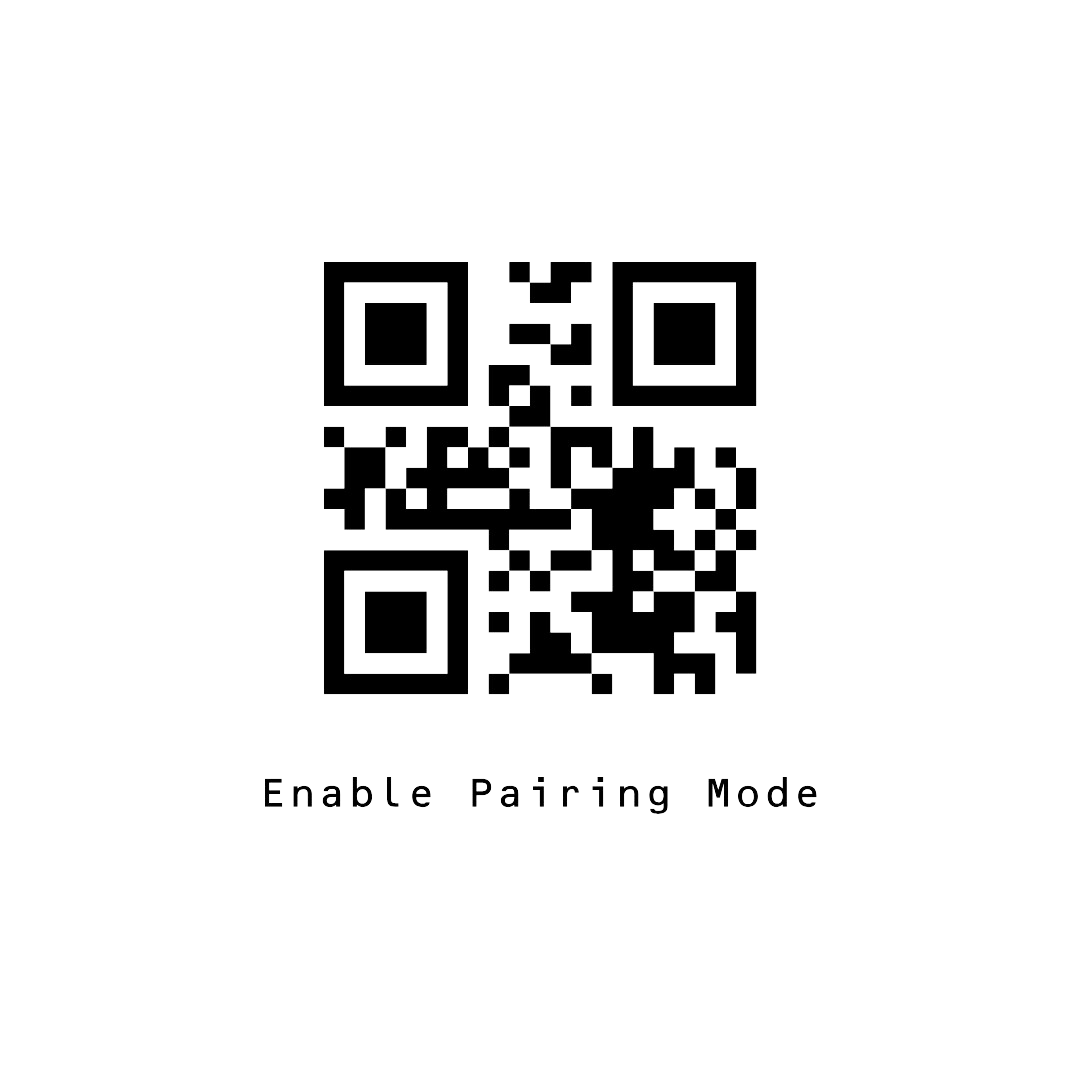
- In Bluetooth settings, select SAVEO-RGDPTL-H2D-BT from the list of devices to pair
Connecting the Saveo H2D to an Android device?
- On your Android device, open Settings > Bluetooth and ensure Bluetooth is enabled
- Press the scanner’s scan button to power it on (blue light will flash)
- Scan the Wireless Bluetooth Pairing barcode shown below or hold the scan button for 10 seconds to enter pairing mode
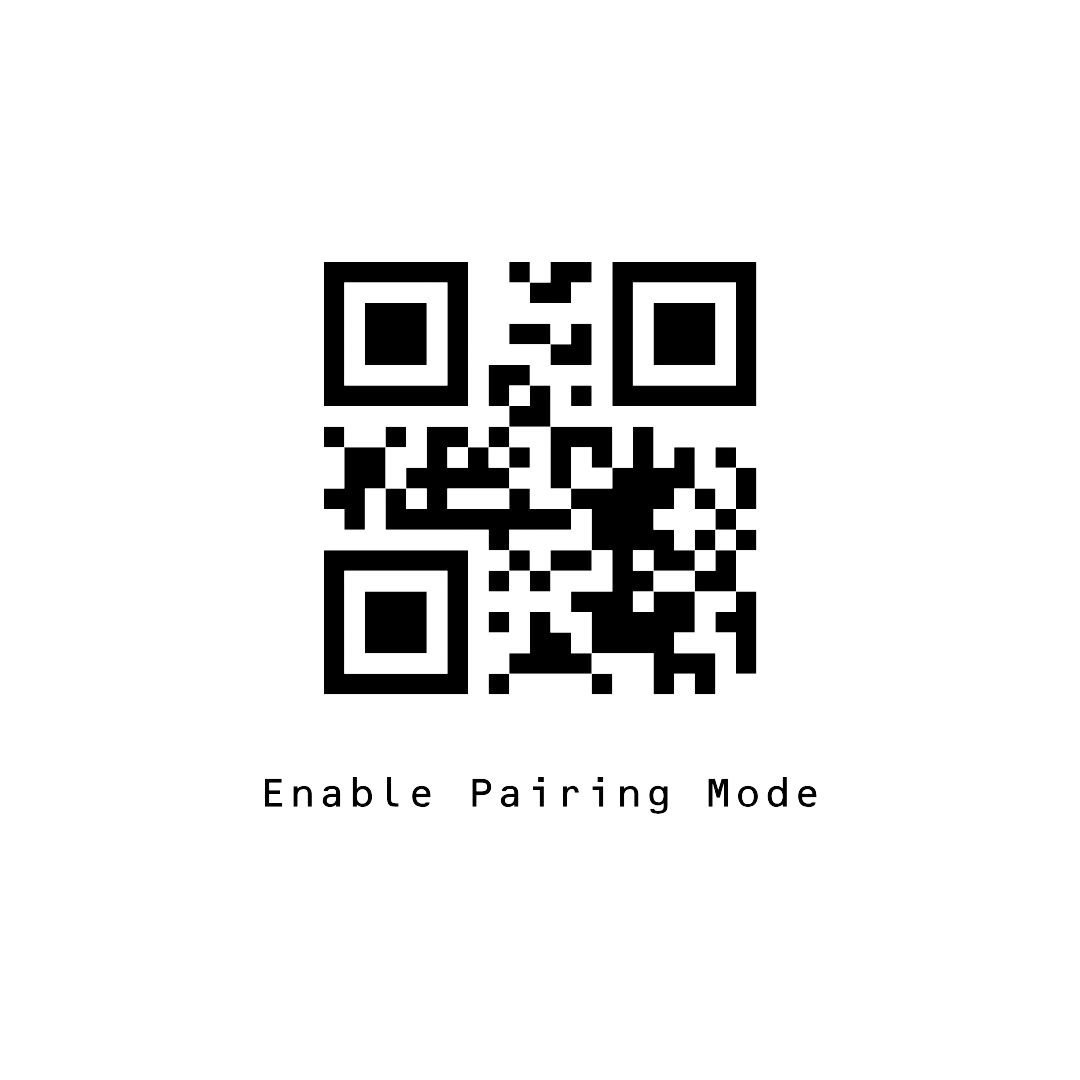
- In Bluetooth settings, select SAVEO-RGDPTL-H2D-BT from the list of devices to pair
Once paired, you can start scanning barcodes directly into Orca Scan.
Special Configuration for GS1 Barcodes
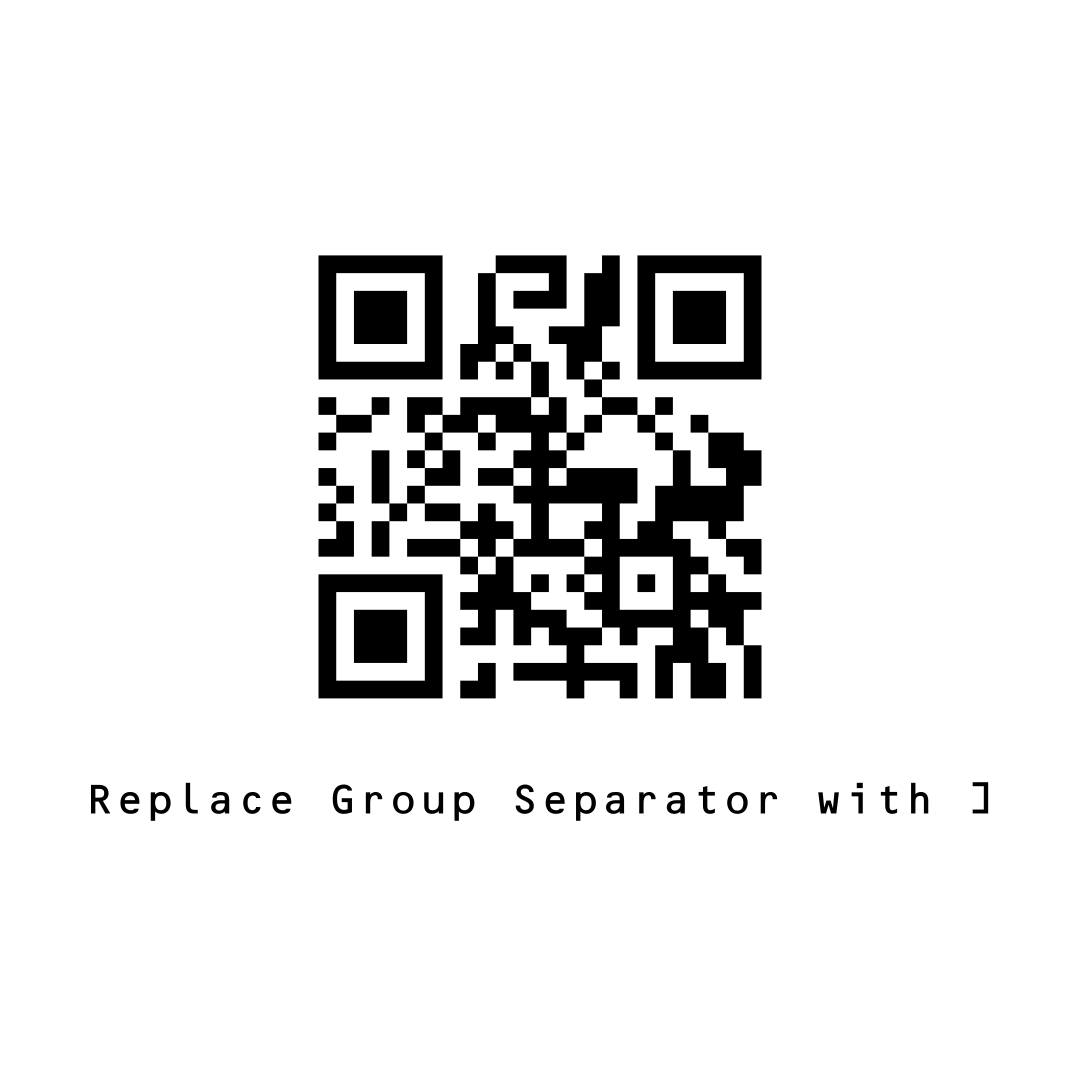
If you’re scanning medical devices, pharmaceutical products, or GS1 barcodes, additional configuration is required:
- Scan this barcode to replace the group separator with a
]
That’s it! You’re all set to scan medical and pharmaceutical barcodes into Orca Scan.
Scan barcodes into the systems you love
You can now use the Saveo H2D to scan barcodes into the following systems:
- Scan barcodes to your Excel spreadsheets
- Scan barcodes to your Google spreadsheets
- Scan barcodes into MySQL
- Build dashboards in Google Data Studio
- Visualise barcode data in Microsoft Power BI
Saveo H2D related questions?
We’re happy to help troubleshoot any issues using Orca Scan with the Saveo H2D, feel free to chat with us live or drop us an email.
Saveo Scan H2D related files
Request a device integration
Need help getting Orca Scan working with your hardware? Request a Device Integration