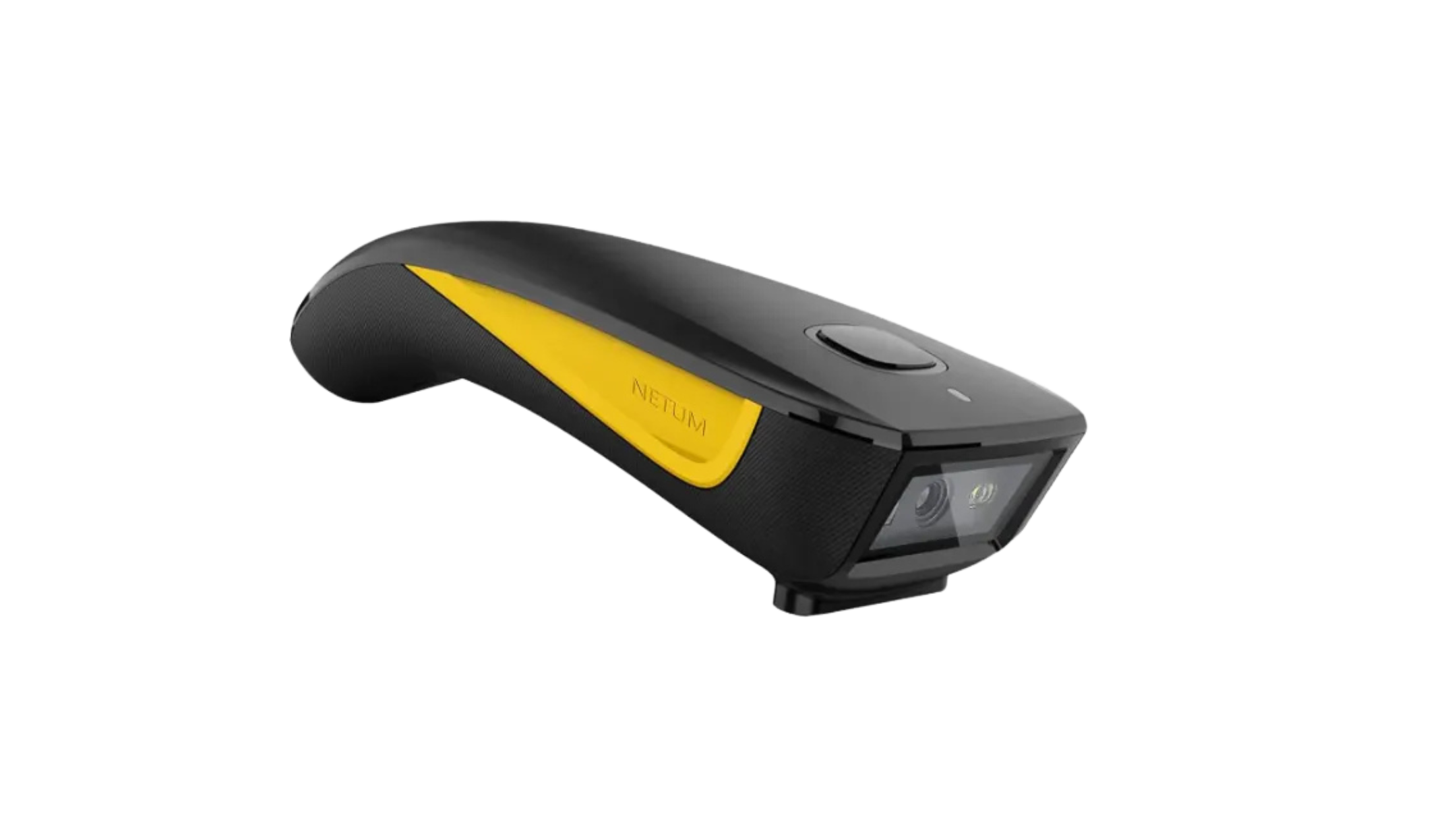
The NETUM C750 is a fast Bluetooth barcode scanner compatible with Android, iOS, and Windows operating systems. It scans both 1D and 2D barcodes and is suitable for warehouse, retail, and healthcare environments.
NETUM C750 specs
- Built-in 1D/2D barcode scanner (supports QR, Data Matrix, and PDF417)
- Compatible with Android, iOS, and Windows devices
- Bluetooth 5.0 wireless connectivity (HID, BLE, and SPP modes)
- USB-C connectivity for wired use and charging
- Rechargeable lithium battery with up to 20 hours of use (approx. 20,000 scans per charge)
- Lightweight, ergonomic handheld design (approx. 135 g)
- Durable ABS housing with IP42-rated dust and splash resistance
NETUM C750 setup guide
Setting up your NETUM C750 scanner is simple. Follow these steps:
- Power on the scanner Slide the power switch on the underside of the scanner (near the scan window) to turn on the device.
- Enable Bluetooth Pairing Mode
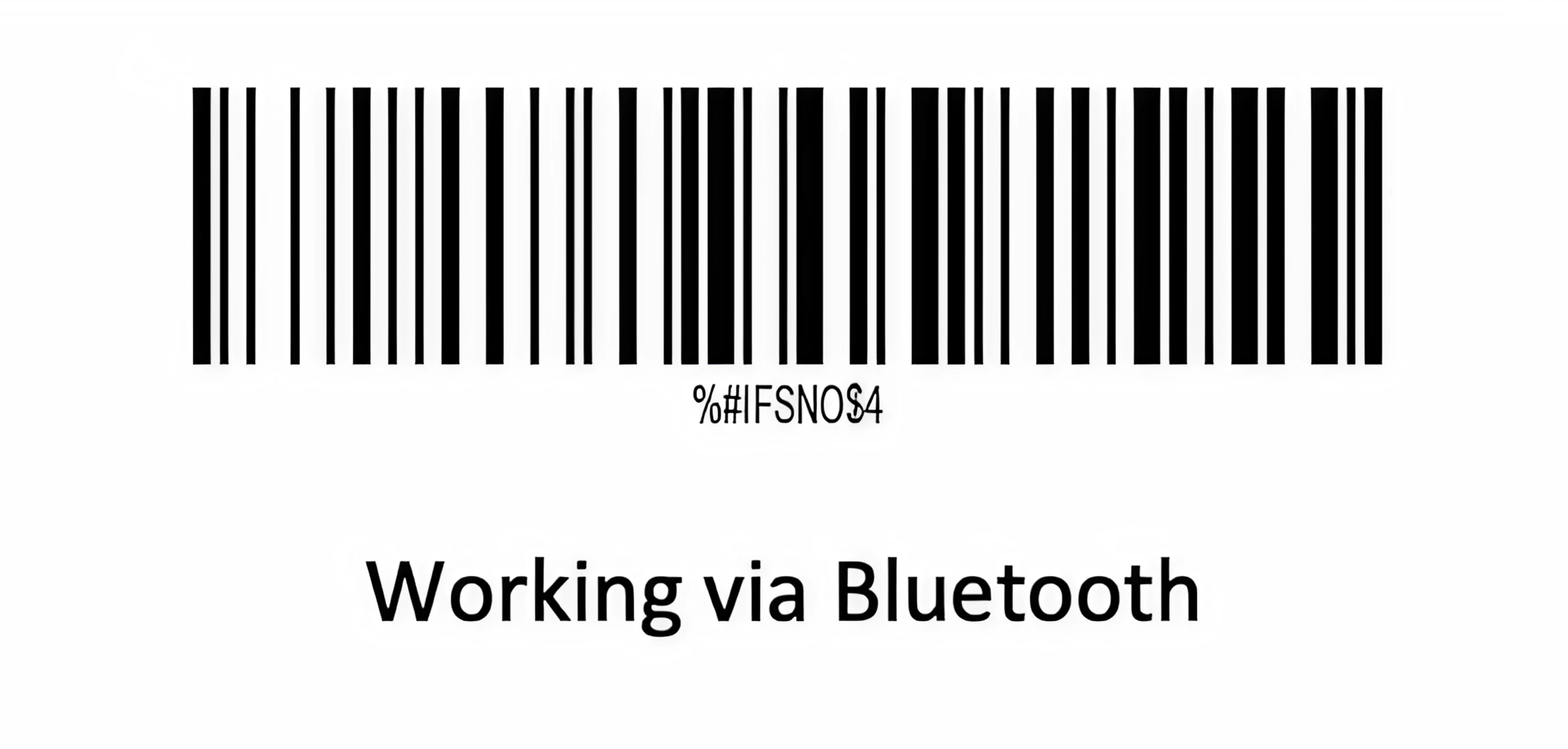
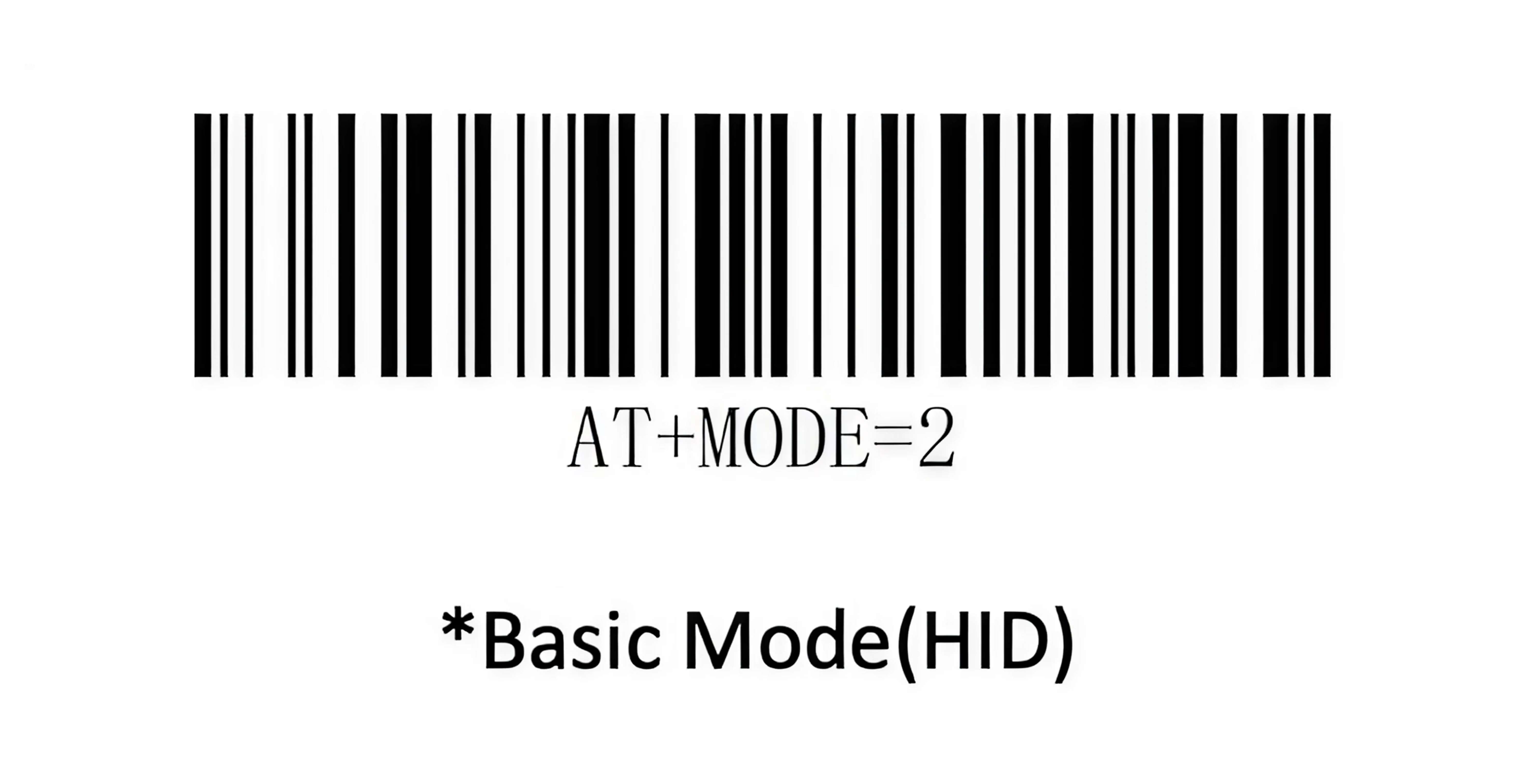
Once powered on, the blue LED will flash, indicating the scanner is discoverable via Bluetooth. Scan the command barcode “Working via Bluetooth” and then the “Basic Mode(HID)” barcode. The scanner will be discoverable as a Keyboard to other Bluetooth devices.
- Pair with Mobile Device
- On your phone or tablet, open Bluetooth settings and search for new devices.
- Select “Netum Bluetooth” or “C barcode scanner” from the available devices list.
- The scanner will beep and the blue LED will turn solid when pairing is complete.
Once paired, you can start scanning barcodes directly into Orca Scan.
Troubleshooting the NETUM C750
What should I do if my scanner is outputting incorrect characters when scanning barcodes?
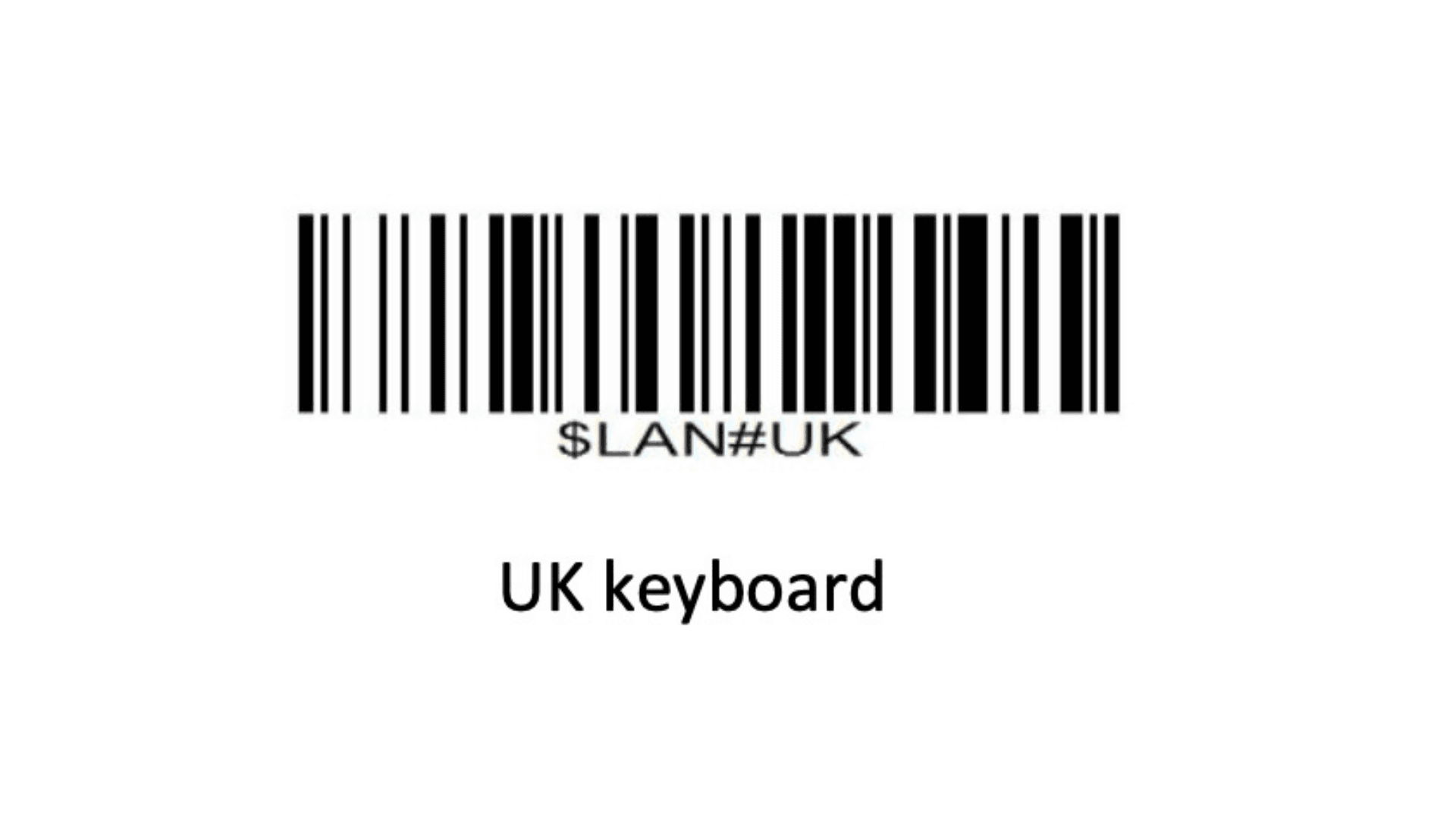
To fix this, set the scanner to UK keyboard mode by scanning the $LAN#UK configuration barcode in the Netum C750 user manual. This only needs to be done once. The setting is saved on the scanner.
- Point the scanner at the UK keyboard ($LAN#UK) barcode and scan it
- You will hear a confirmation beep. The scanner is now set to UK keyboard mode
Scan barcodes into the systems you love
You can now use the C750 to scan barcodes into the following systems:
- Scan barcodes to your Excel spreadsheets
- Scan barcodes to your Google spreadsheets
- Scan barcodes into MySQL
- Build dashboards in Google Data Studio
- Visualise barcode data in Microsoft Power BI
NETUM C750 related questions?
We’re happy to help troubleshoot any issues using Orca Scan with the NETUM C750. Feel free to chat with us live or drop us an email.
NETUM C750 related files
Request a device integration
Need help getting Orca Scan working with your hardware? Request a Device Integration