Event Check-In App
Orca Scan is an event check-in app that uses QR codes to register, verify and track attendees as they arrive. Organisers can scan from any smartphone, validate each attendee instantly, prevent duplicate or invalid check-ins and see live attendance data across multiple entry points. It replaces paper guest lists, manual name searches and disconnected spreadsheets with one shared workflow. Import or collect attendee details, issue QR codes, scan guests on arrival and automatically record every check-in in a live sheet that the whole team can access.
 Use in mobile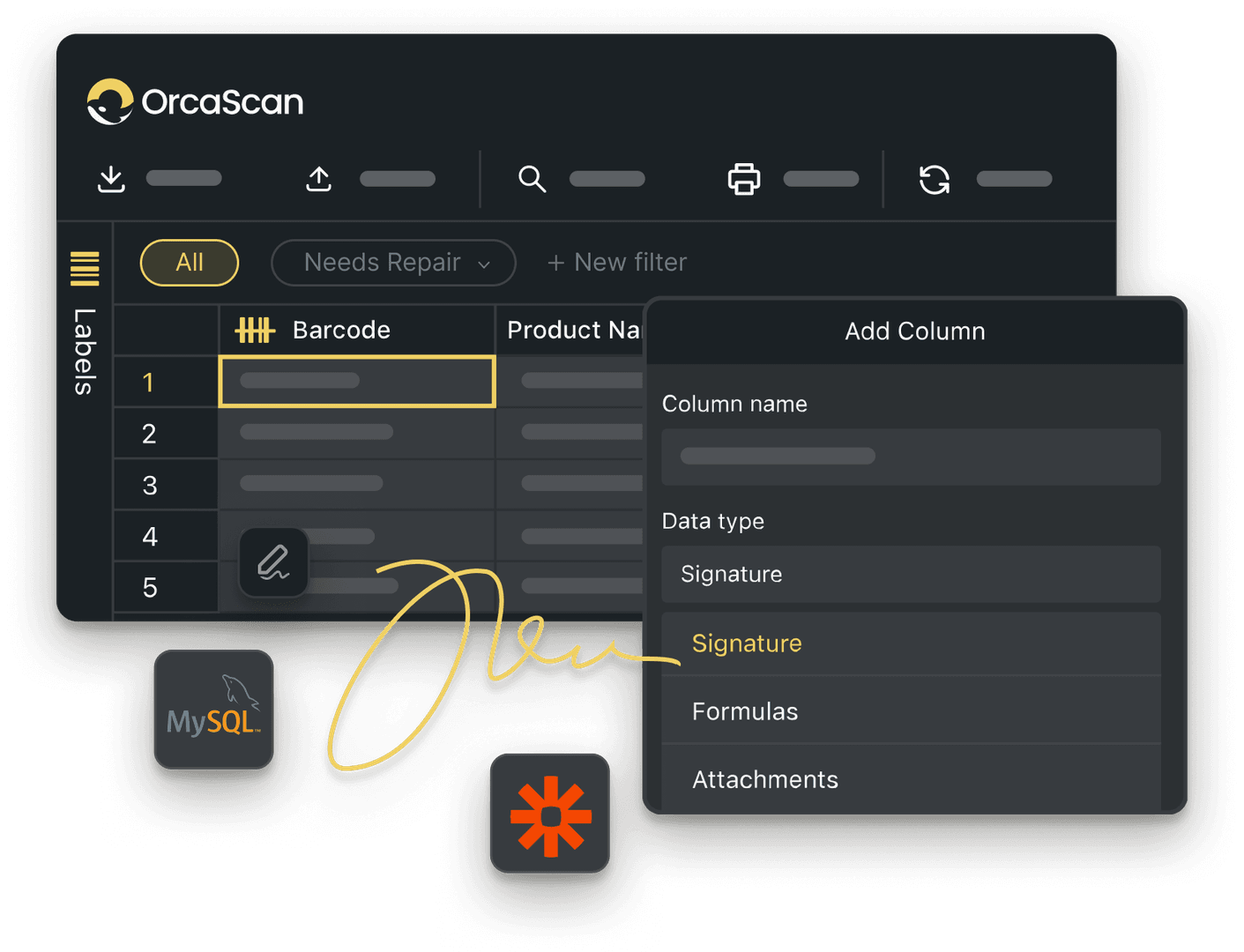
Trusted by over 50,000 organisations in over 165 countries



Fast, Frictionless Check-Ins for Any Event
Replace manual guest lists with QR code check-in and real-time attendance tracking
Streamline attendee and event management using QR codes
-

Add Multiple Hosts
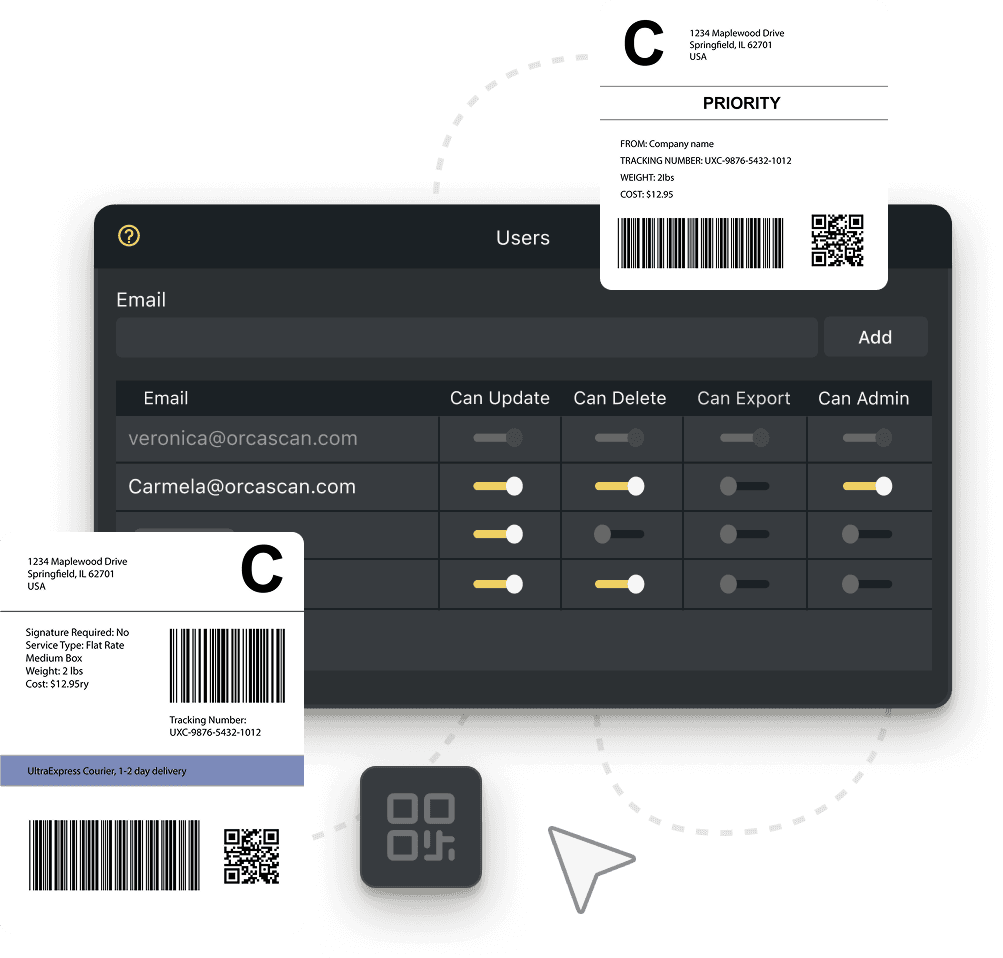
Allow multiple event organisers or staff members to check in attendees from a shared sheet, ensuring a smooth registration process
-

Real-Time Attendance Tracking
Monitor check-ins as they happen with live updates, time-stamped entries, and attendee verification
-

Contactless Check-Ins
Scan QR codes instantly using any smartphone, speeding up entry and reducing long queues at events
Powerful features to improve your workflow
-

Custom Branding
Design your sheets with your very own brand logo, custom colours and more with Custom Branding
-

Scan Offline
If the Wi-Fi or signal at an event is limited, capture data offline, syncing automatically to the cloud once reconnected
-

Instant Verification
Automatically cross-check scans against your registered attendee list in real-time, flagging unverified guests
-

Detailed History Log
Each scan is logged, showing how often someone was scanned, when, and by whom keeping data clean and organised
-

Manage Multiple Venues
Create separate sheets for each premises or location, then display your QR Code Poster in the appropriate place for visitors
-

Print Badges
Choose from a variety of barcode labels or create your own with our drag & drop designer
Event Check-In App FAQs
How to set up QR code event check-in with Orca Scan
Setting up QR code event check-in with Orca Scan takes just a few minutes, with no complex setup or coding required:
- Register or sign in to Orca Scan
- Create a new sheet using the Event Attendance template
- Let attendees register online using Orca Forms
- Print or email QR code labels to attendees
- Download the Orca Scan Mobile app and log in
- Scan attendee QR codes on event day
Hosting with a team? Learn how to add users to your Orca Scan sheet to enable multiple check-in points.
How to import an existing attendee list into Orca Scan
Easily bring your existing attendees into Orca Scan’s event attendance tracking system by importing your lists directly in the web app. Follow our step-by-step guide on importing existing attendees to get started.
What are the benefits of using a QR code check-in system?
Using a QR code check-in system gives organisers real-time visibility and accuracy across every check-in
We know that managing events can be stressful, so we built Orca Scan’s event attendance tracking software to make registration, check-in, and reporting simple.
Key benefits include:
- Easy online registration and fast check-in
- Automated, synchronised data entry
- Real-time validation for duplicate, incorrect or VIP attendees
- Fully paperless and sustainable
- Faster operations
- Track attendee movement throughout your event
How QR code event check-ins work with Orca Scan
Checking in attendees is quick and effortless with Orca Scan’s QR code event attendance tracking system. Whether you’re managing a small workshop or a large conference, you can validate entries in seconds.
- Design your event badges using the Barcode Label Designer
- Send digital or printed badges to your attendees before the event
- Download the Orca Scan mobile app and log in
- Select your event attendance sheet in the app
- Scan attendee QR codes on entry, or at key locations like stands, cafés or breakout sessions
- Get instant alerts if an attendee scans on the wrong day or with an invalid QR code
How to create and print QR code name badges for your event
Designing and printing QR code name badges is quick and fully customisable.
- Log into the Orca Scan Web app
- Open the Labels panel on the left-hand side
- Design, generate, download and print your attendee badges using the Barcode Label Designer
- Print your badges or email digital versions directly to attendees
For physical labels, we recommend using Avery or Dymo.
How to set up VIP check-in alerts
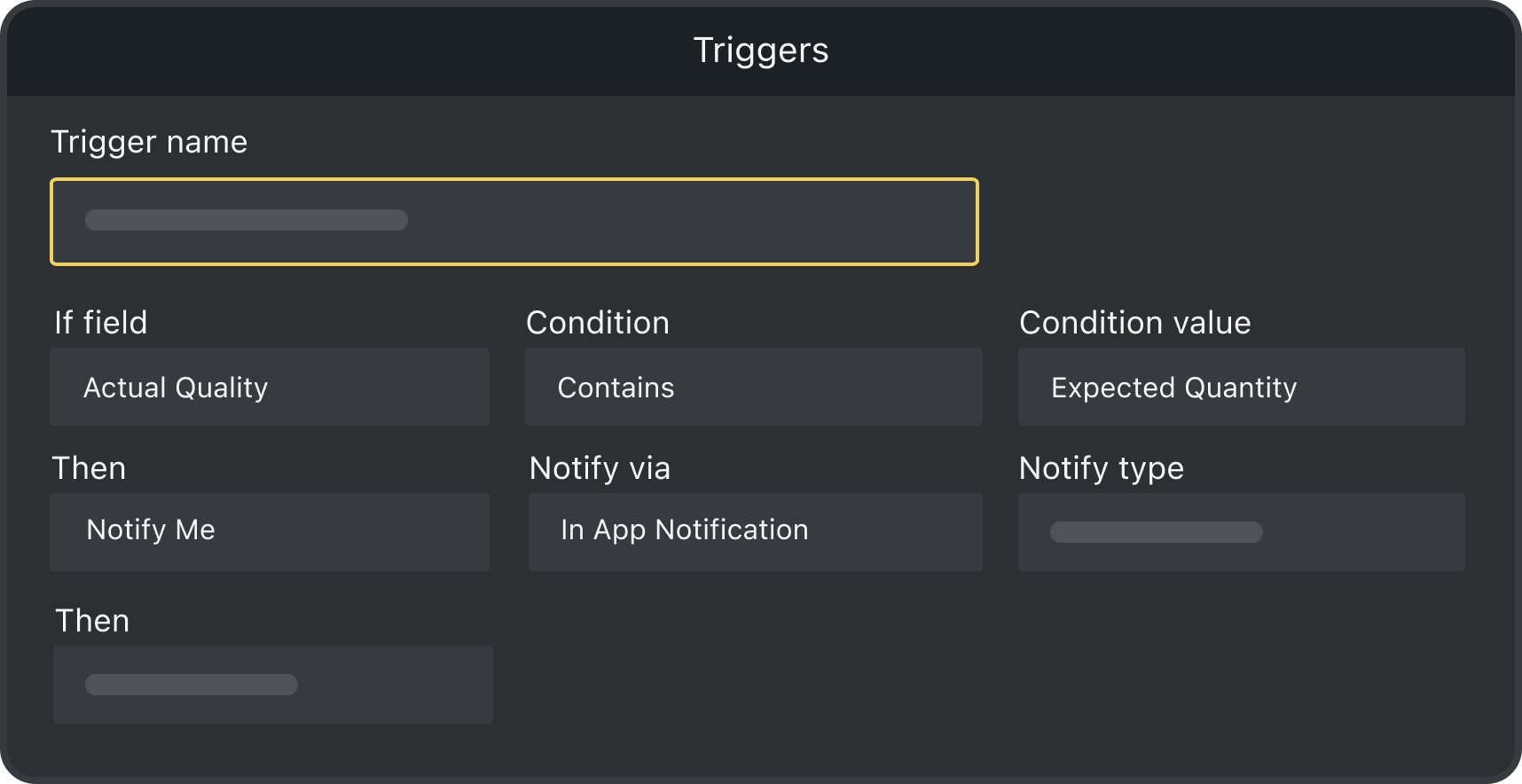
The Orca Scan event attendance system includes built-in options to alert you when a VIP attendee checks in. You can also create your own notifications to suit your event by:
- Logging into Orca Scan
- Open the Triggers menu at the top of your event sheet
- Create a new trigger and give it a name
- Use “If this, then that” logic to define your rule
- Save your changes to activate the trigger
How to get notified when an unregistered attendee is scanned
Orca Scan lets you create instant alerts when an unregistered attendee’s QR Code is scanned. To do this:
- Create a Registration Data Source: Follow our guide to setting up a data source containing your list of registered attendees.
- Link your Registration Data Source to your event sheet: Connect the registration list to your main scan sheet so every scan is validated automatically. Learn how to share data between sheets.
- Create a Trigger for Unregistered Scans
- Open your event sheet and select Triggers from the top panel
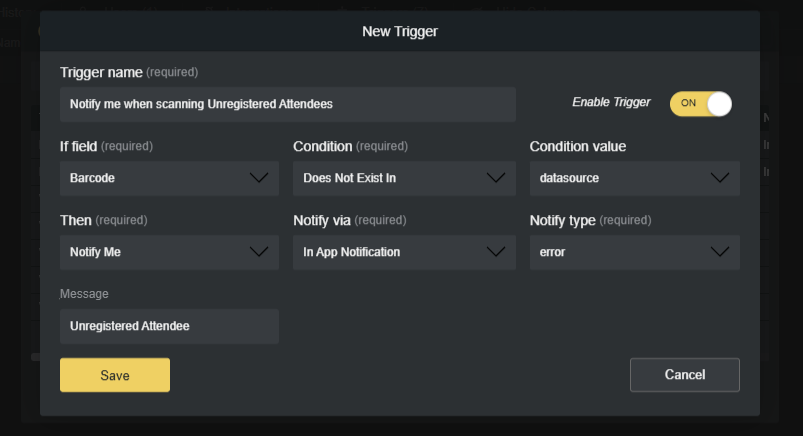
- Create a new trigger with these conditions:
- Condition:Barcode does not exist in the registration data source
- Action: Send an in-app notification of type error
- Message: “Unregistered Attendee”
- Click Save to activate the trigger
- Test the Setup
- Scan a barcode that is registered, it should process normally.
- Scan a barcode that isn’t registered, you should receive a notification.
How does Orca Scan prevent duplicate ticket scans?
Orca Scan’s QR code event check-in system automatically detects and blocks duplicate scans, ensuring each ticket or pass is used only once.
If a pass has already been scanned, Orca Scan immediately notifies you and rejects the scan, preventing invalid or duplicate check-ins, reducing errors and keeping your event attendance tracking system accurate and reliable.
How to download and export your event attendance list
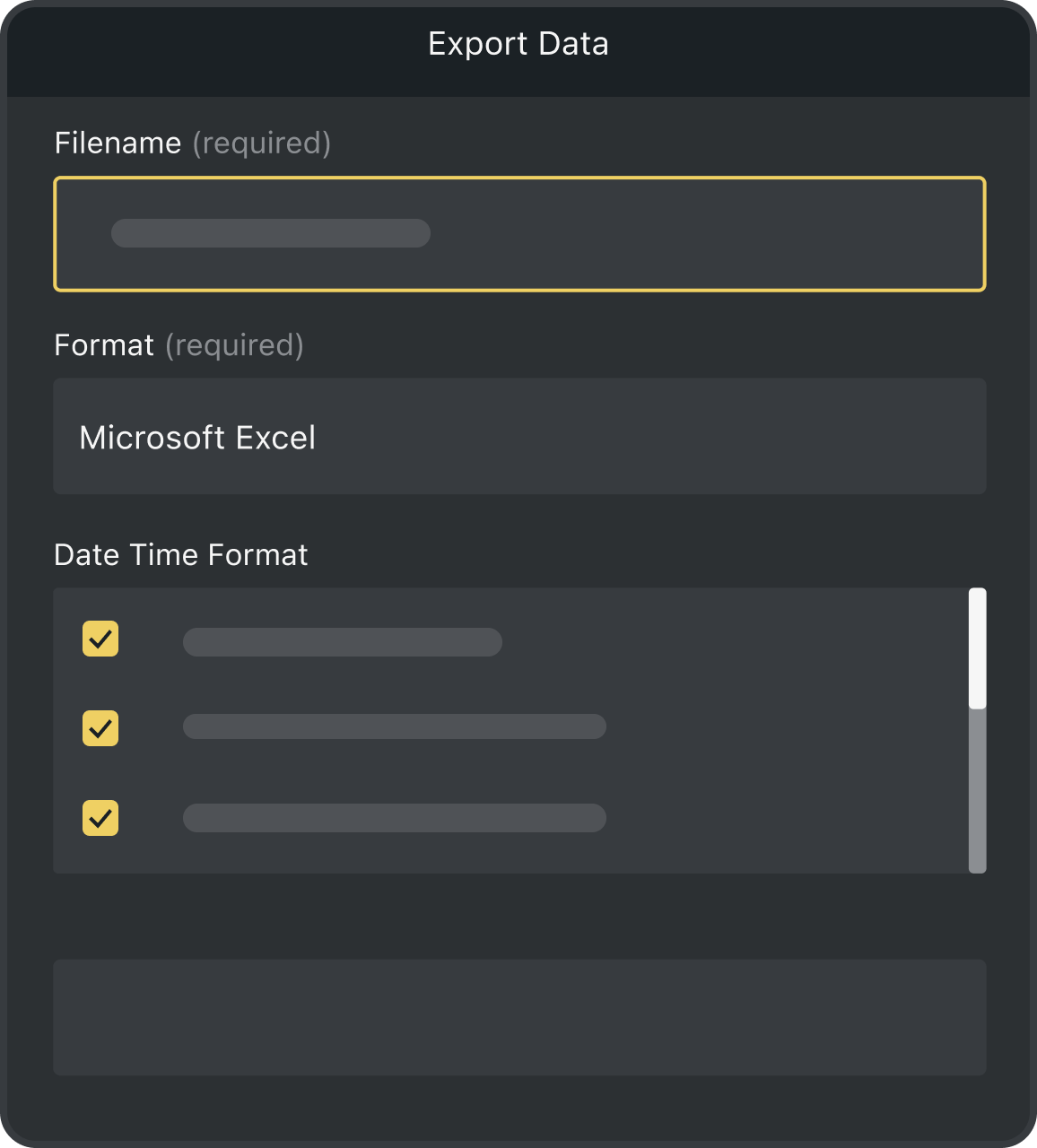
With Orca Scan, you can export your attendee list in multiple formats, including CSV, Excel or PDF.
For real-time reporting, connect your sheet directly to Microsoft Excel, Google Sheets or other integrations. This makes it easier to share check-in data with colleagues, generate end-of-event reports and analyse attendance quickly and accurately.
How to track venue and event equipment with Orca Scan
Tracking inventory across venues and events has never been easier than with Orca Scan. Using our Barcode Inventory Template, you can create a custom inventory system that manages equipment across multiple events and locations in minutes.
With this setup, your event attendance tracking system doubles as an efficient tool for keeping all your event resources organised, and overall improves operational efficiency.
Here's why thousands of teams count on Orca Scan
Trusted by businesses worldwide
- Group IT and Digital Transformation Director at Lawrence David Ltd

One of the reasons I got my promotion was the digitalisation that comes with Orca Scan
- Office Manager at West Fire Extinguisher Service
We believe we can grow with Orca Scan and add to our solution when we want and need to
- GSE MGR at Signature Aviation

What a phenomenal find Orca Scan was
Explore related solutions


Certified and Trusted: Quality You Can Rely On
Backed by Industry-Leading Certifications

Event Check-In App related questions?
If you need help brainstorming how best to track your inventory, get in touch; we’d be happy to help.